 +86 18030182217
 +86 18030182217
 sandydcsplc@gmail.com


Description
. Many products are not yet available. Please contact us to learn more about them
. In case of any inconsistency between the product model and the displayed picture, the model shall prevail. For specific product pictures, please contact us and we will take photos of the goods for confirmation
. We share multiple warehouses around the world, so please understand that it may take several hours to accurately return it to you. Of course, we will respond to your concerns as soon as possible
Product Core Brief
- Model: ABB PM510V08 3BSE00B373R1
- Brand: ABB (Switzerland-Sweden)
- Series: AC500 V2 Programmable Logic Controller (PLC) Family
- Core Function: Central processing unit for mid-range automation tasks, executing logic and managing fieldbus communications. Condition: New Surplus, not refurbished.
- Type: CPU Module (Processor)
- Key Specs: 8 MB User Memory | 2x Ethernet Ports (Switch) | CoDeSys V2.3 Runtime
Key Technical Specifications
| Parameter Name | Specification Value |
|---|---|
| Model Number | PM510V08 |
| Order Code | 3BSE00B373R1 |
| Processor Type | 32-bit RISC |
| User Memory | 8 MB (Program + Data) |
| Communication Interfaces | 2x RJ45 Ethernet (10/100 Mbps, Internal Switch), 1x RS-232/RS-485 (COM1) |
| Supported Protocols | Modbus TCP, EtherNet/IP, FTP, HTTP, SNMP |
| Programming Standard | IEC 61131-3 (via CoDeSys V2.3) |
| Max Local I/O | Up to 64 local modules (via internal bus) |
| Expansion | Supports up to 3 communication coprocessors (CM5xx) |
| Real-Time Clock (RTC) | Integrated (Super-capacitor backed, approx. 7 days) |
| Operating Temperature | 0°C to +60°C (Horizontal mount), 0°C to +50°C (Vertical) |
| Power Consumption | Approx. 3.5 W (5 V DC from backplane) |
| Dimensions (W×H×D) | 45 mm × 90 mm × 115 mm (1 TE width) |
| Weight | 0.25 kg |
| Certification | CE, UL, cULus, GL, DNV |
Product Introduction
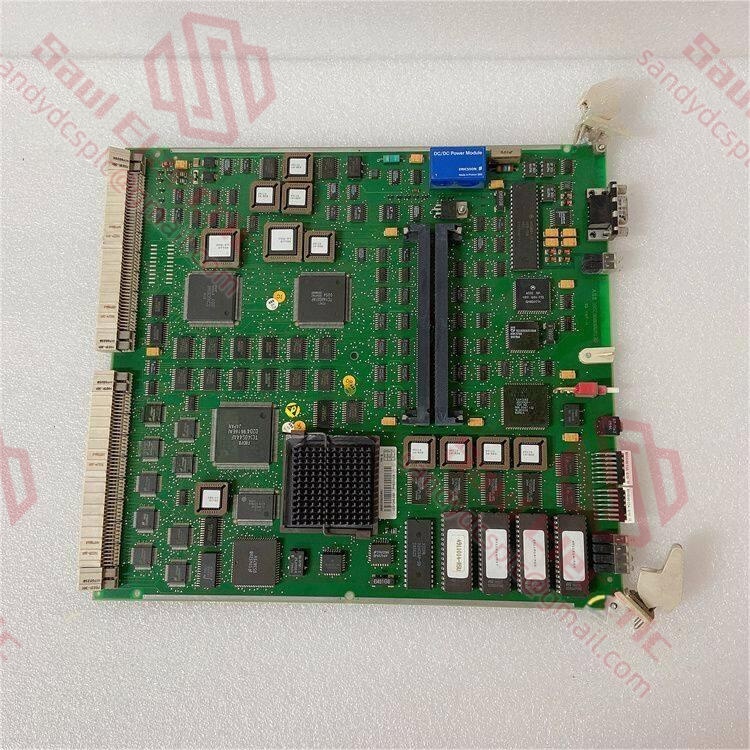
The ABB PM510V08 3BSE00B373R1 is a robust CPU module belonging to the first generation of the AC500 V2 PLC family. Designed for mid-range automation applications, it features 8 MB of user memory and an integrated 2-port Ethernet switch, allowing for linear network topology without external switches. It runs the CoDeSys V2.3 runtime environment, making it ideal for legacy machine upgrades or maintaining existing systems that rely on established IEC 61131-3 logic structures.Unlike newer AC500-eCo or V3 models, the PM510V08 is specifically tuned for deterministic performance in applications requiring reliable Modbus TCP or EtherNet/IP connectivity. Its dual Ethernet ports support daisy-chaining, reducing cabling costs and potential failure points. This unit is frequently found in water treatment, material handling, and packaging lines commissioned between 2008 and 2015. As a mature product, sourcing genuine surplus stock like this is often the most cost-effective strategy for repair and expansion of existing fleets, avoiding the need for costly full-system migrations.
Installation & Configuration Guide
Phase 1: Pre-Installation
⚠️ Safety First:
- Notify production of the planned downtime. The PLC will stop execution during replacement.
- Verify safe state: Ensure all motors are stopped, valves are in safe positions, and energy sources are isolated.
- Disconnect power: Turn off the 24 V DC supply to the entire PLC rack. Wait 30 seconds for capacitors to discharge.
- Ground yourself: Put on an anti-static wrist strap connected to the cabinet ground.
Tool Checklist:
- Anti-static wrist strap + mat
- Small flathead screwdriver (for terminal blocks if needed)
- Laptop with Ethernet port and CoDeSys V2.3 (or Control Builder Basic V2.3) installed
- Ethernet cable (CAT5e shielded)
- Smartphone (to photograph wiring and DIP switches)
- Label maker (for tagging cables)
Backup Procedures:
- Photograph:
- The exact slot position (usually Slot 1, leftmost).
- Ethernet cable connections (Port 1 vs. Port 2).
- Any DIP switch settings on the front panel (rarely used for config, but check).
- Serial number of the old unit for asset tracking.
- Software Backup: If the old CPU is still partially functional, attempt an “Upload” from the PLC to save the latest logic before removal.
Phase 2: Removal
Steps:
- Label Cables: Tag the Ethernet cables connected to Port 1 and Port 2. Note which one comes from the HMI/SCADA and which goes to the next device (if daisy-chained).
- Disconnect Cables: Unplug the RJ45 connectors. Inspect the clips; broken clips cause intermittent comms.
- Release Module:
- Locate the locking lever at the bottom of the PM510V08.
- Push the lever down (or out, depending on rail type) to release the latch.
- Extract Module:
- Grasp the faceplate firmly.
- Pull straight out perpendicular to the backplane. Do not rock side-to-side, as this bends the 96-pin bus connector.
- Inspect Backplane: Check the female connector in the base unit for bent pins or dust. Clean with compressed air if necessary.
⚠️ Crucial Notes:
- SD Card: The PM510V08 typically uses an internal flash or an optional SD card for project storage. If an SD card is present, remove it carefully and insert it into the new CPU before powering up to retain the program.
- Slot Position: In AC500 systems, the CPU must always be in the leftmost slot (Slot 1). Moving it will cause a system fault.
Phase 3: Installation
Steps:
- SD Card Transfer (If applicable): If your old unit had an SD card with the project, insert it into the new PM510V08 now. Ensure it clicks into place.
- Insert Module:
- Align the new CPU with the guide rails of Slot 1.
- Push firmly and evenly until the backplane connector seats fully.
- Engage the locking lever until it clicks.
- Reconnect Cables:
- Plug Ethernet cables back into the correct ports.
- Tip: If daisy-chaining, ensure the cable from the controller goes to Port 1, and the cable to the next device goes to Port 2 (though the internal switch makes this flexible, consistency helps troubleshooting).
- Check Neighbors: Ensure the adjacent power supply and I/O modules are tightly seated against the CPU. Gaps cause bus communication errors.
Self-Checklist:
- CPU locked in Slot 1.
- SD card inserted (if used).
- Ethernet cables secured with intact clips.
- No tools left inside the rack.
- 24 V DC polarity verified at the power supply.
Phase 4: Power-On & Testing
Pre-Power Checks:
- Measure 24 V DC at the power supply terminals.
- Verify no short circuits between 24 V and 0 V.
Power-On Sequence:
- Energize: Turn on the 24 V DC supply.
- Observe LEDs:
- RUN (Green): Flashes during boot, becomes Solid Green when running.
- ERR (Red): Solid or flashing indicates hardware fault, missing SD card, or program error.
- COM (Yellow/Orange): Flashes when Ethernet traffic is detected.
- Connect Software:
- Open CoDeSys V2.3 or Control Builder Basic.
- Set your PC IP to the same subnet as the PLC (Default is often 192.168.0.1 or as configured).
- Go “Online”.
- Verify Program:
- If the SD card was used, the PLC should auto-load the program and run.
- If no SD card, you may need to download the project from your laptop.
- Check the “Login” status.
- Functional Test:
- Toggle a digital output via the software force table. Verify the physical output activates.
- Ping the PLC from a command prompt to verify Ethernet stability.
- Monitor for any “Watchdog” or “Bus Error” messages in the diagnostic buffer.
⚠️ Troubleshooting:
- Solid Red ERR: Often means the program on the SD card is corrupted or incompatible with the firmware version. Try formatting the SD card (FAT16) and re-downloading the project.
- No COM Light: Check Ethernet cable continuity. Ensure the PC firewall isn’t blocking CoDeSys traffic (UDP/TCP ports).
- PLC Won’t Start: Check if the “Run/Stop” switch (if physical exists on model) or the software command is set to “Stop”. Some configurations require a specific “Warm Start” command.
Frequently Asked Questions (FAQ)
Q1: What is the difference between PM510V08 and PM510V16?
A: The suffix indicates the memory size. The PM510V08 has 8 MB of user memory, while the PM510V16 has 16 MB. Physically, they are identical. You can replace a V08 with a V16 directly without any hardware changes; the extra memory simply remains unused. However, replacing a V16 with a V08 risks memory overflow if the existing program exceeds 8 MB. Always check your project size in CoDeSys before downgrading.Q2: Can I use CoDeSys V3.x to program this module?
A: No. The PM510V08 3BSE00B373R1 runs exclusively on the CoDeSys V2.3 runtime kernel. It is not compatible with the CoDeSys V3.x engine used in newer AC500 V3 or PM500-V3 series. You must use Control Builder Basic V2.3 or the standalone CoDeSys V2.3 SP2/SP3 for programming and debugging. Attempting to compile a V3 project for this hardware will fail.Q3: Does this CPU support hot-swapping?
A: No. The AC500 V2 series (including PM510V08) does not support hot-swapping of the CPU. Removing the module while powered will cause an immediate loss of control and may damage the backplane connector due to arcing. Always power down the entire 24 V DC supply before removing or inserting the CPU.Q4: My new CPU shows a red “ERR” light. Do I need to download the program?
A: Yes, likely. Unlike some systems that store logic permanently in non-volatile memory on the board, the PM510V08 often relies on an SD card or internal flash that may be blank on a replacement unit.
- Insert the SD card from the old unit (if available and healthy).
- Power cycle.
- If the error persists, connect via Ethernet and download the saved
.proor.zipproject file from your engineering station. - Ensure the “Hardware Configuration” in your software matches the physical rack exactly (same I/O modules in same slots).
Q5: Is the 3BSE00B373R1 obsolete? What is the replacement?
A: The AC500 V2 platform is considered “Classic” or “Legacy” by ABB, with the V3 platform being the current standard. While ABB still provides limited support, new production of V2 CPUs has slowed. The PM510V08 is not directly interchangeable with V3 CPUs (like PM511 or PM512) due to different backplane pinouts and software kernels. If you are expanding an existing V2 system, sticking with surplus V2 units like this is the only viable path without a full system migration. For new designs, ABB recommends the AC500 V3 series.Q6: How do I backup the program if the CPU is failing?
A: If the CPU is still communicating (even with errors):
- Connect your laptop via Ethernet.
- Open CoDeSys V2.3.
- Go Online.
- Select “Project” -> “Save As” to pull the logic from the CPU to your PC.
If the CPU is completely dead but has an SD card, remove the card and read it using a standard SD reader on a PC. The project files are usually stored in a readable directory structure. If neither works, you must rely on your last known good backup from your engineering archive.
- WhatsApp: +86 18030182217
- Email: sandydcsplc@gmail.com
- Phone: +86 18030182217
- Wechat: +86 18030182217
- Website: www.xiongbaparts.com