 +86 18030182217
 +86 18030182217
 sandydcsplc@gmail.com


Description
. Many products are not yet available. Please contact us to learn more about them
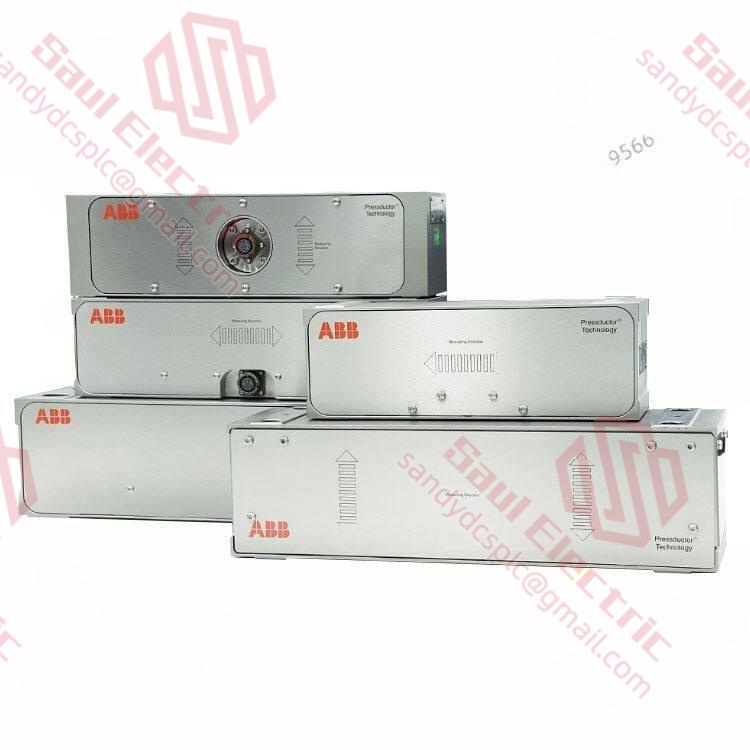
. In case of any inconsistency between the product model and the displayed picture, the model shall prevail. For specific product pictures, please contact us and we will take photos of the goods for confirmation
. We share multiple warehouses around the world, so please understand that it may take several hours to accurately return it to you. Of course, we will respond to your concerns as soon as possible
Product Core Brief
- Model: ABB PM150V08 3BSE009598R1
- Brand: ABB (Switzerland-Sweden)
- Series: Advant OCS (Open Control System) – PM15x Processor Family
- Core Function: Central processing unit for Advant OCS systems, managing logic execution and MasterBus 300 communication. Condition: New Surplus, not refurbished.
- Type: Processor Module (CPU)
- Key Specs: 8 MB User Memory | MasterBus 300 (MB300) | Supports S800 I/O
Key Technical Specifications
| Parameter Name | Specification Value |
|---|---|
| Model Number | PM150V08 |
| Order Code | 3BSE009598R1 |
| Architecture | 32-bit RISC Processor |
| User Memory | 8 MB (RAM/Flash configuration subject to firmware) |
| Communication Ports | 1x MasterBus 300 (MB300), 1x RS-232/RS-485 (Service) |
| Max I/O Capacity | Up to 128 S800 I/O units (dependent on scan time) |
| Scan Time | Approx. 1 ms per 1k instructions (typical) |
| Redundancy | Not supported (Single CPU configuration) |
| Operating Temperature | 0°C to +60°C |
| Storage Temperature | -40°C to +70°C |
| Power Consumption | Approx. 15 W (5 V DC from backplane) |
| Dimensions (W×H×D) | 3 TE (Teuro) width, standard Advant rack height |
| Weight | 0.4 kg |
| Certification | CE, UL (cULus) |
Product Introduction
The ABB PM150V08 3BSE009598R1 is a high-performance processor module designed for the legacy Advant OCS (Open Control System) platform. Serving as the central brain of the control system, it executes user logic, manages data handling, and coordinates communication across the MasterBus 300 (MB300) network. With 8 MB of user memory, this module offers sufficient capacity for medium-complexity applications in power generation, pulp & paper, and water treatment facilities that still rely on the robust Advant architecture.Unlike newer AC800M controllers, the PM150V08 is optimized for deterministic scanning and tight integration with S800 distributed I/O. It features a dedicated service port for local programming and diagnostics via RS-232, allowing engineers to troubleshoot without disrupting the MB300 network. This specific model (V08) indicates the memory tier; lower tiers (V04) exist with less memory, while higher tiers are rare. As an older component, finding genuine, unused stock like this is critical for maintaining aging plants where upgrading the entire DCS is not yet feasible.
Installation & Configuration Guide
Phase 1: Pre-Installation
⚠️ Safety First:
- Notify production of the planned downtime. The Advant OCS system will stop controlling the process during CPU replacement.
- Verify safe state: Place all control loops in “Manual” mode if possible, or ensure the process is in a safe shutdown state.
- Disconnect power: Turn off the 24 V DC supply to the entire controller rack. Note: The PM150V08 draws 5 V from the backplane, but the rack supply is usually 24 V.
- Wait 1 minute: Allow capacitors on the power supply and I/O modules to discharge.
Tool Checklist:
- Anti-static wrist strap + mat
- Small flathead screwdriver (for ejector levers)
- Phillips screwdriver (PH1)
- Laptop with RS-232 serial port (or USB-to-Serial adapter)
- Control Builder M (or appropriate legacy software) installed
- Smartphone (to photograph jumper settings and slot positions)
Backup Procedures:
- Photograph:
- The exact slot number of the old CPU (usually Slot 1 or 0).
- Any hardware jumpers or DIP switches on the front panel (rare on PM15x, but check).
- MB300 cable routing and termination resistor settings on adjacent modules.
- Software Backup: Ensure you have the latest
.awlor project backup file exported from the running system before removing the hardware.
Phase 2: Removal
Steps:
- Release Ejectors: Locate the two ejector levers (top and bottom) on the PM150V08 faceplate. Push them outward simultaneously to unhook from the rack chassis.
- Extract Module: Gently pull the module straight out. Do not wiggle excessively, as this can damage the 96-pin backplane connector.
- Disconnect Cables:
- Unplug the MB300 communication cable (usually a blue or black circular connector).
- Unplug the RS-232 service cable if connected.
- Inspect Backplane:
- Shine a light into the empty slot. Check for bent pins or debris.
- Critical: If pins are bent, do not force the new module in. Repair the backplane first.
⚠️ Crucial Notes:
- Slot Sensitivity: In Advant OCS, the CPU must be in a specific slot (defined by the hardware configuration in Control Builder). Putting it in the wrong slot will result in a “Hardware Mismatch” fault.
- MB300 Termination: If this CPU is the last node on the MB300 segment, ensure the termination resistor is active. If it’s in the middle, ensure it’s inactive. This is often set on the bus coupler or the CPU itself depending on the cabling style.
Phase 3: Installation
Steps:
- ESD Protection: Wear your anti-static strap. The PM15x CPU contains sensitive CMOS components.
- Model Verification: Confirm the order code 3BSE009598R1 matches the old unit. Using a PM150V04 (4 MB) might cause memory overflow errors if the program is large.
- Insert Module:
- Align the module with the guide rails of the correct slot.
- Push firmly and evenly until the backplane connector seats.
- Close the ejector levers until they lock flush with the faceplate.
- Reconnect Cables:
- Reattach the MB300 cable. Ensure the locking ring is tightened.
- Connect the RS-232 cable for initial diagnostics.
- Check Neighbors: Ensure adjacent I/O modules are fully seated. A loose neighbor can cause bus errors that look like CPU faults.
Self-Checklist:
- CPU in the correct hardware slot.
- Ejector levers fully locked.
- MB300 cable secured.
- No foreign objects in the rack.
- Termination resistor settings verified.
Phase 4: Power-On & Testing
Pre-Power Checks:
- Measure the 24 V DC input to the rack power supply.
- Verify no short circuits on the backplane (resistance between 5 V and GND should not be near 0 Ω).
Power-On Sequence:
- Energize Rack: Turn on the 24 V DC supply.
- Observe LEDs:
- RUN (Green): Blinking during boot, Solid when running.
- ERR (Red): Flashing indicates boot failure, memory error, or configuration mismatch.
- COM (Yellow): Flashing indicates MB300 activity.
- Connect Software:
- Open Control Builder M.
- Go “Online”.
- If the CPU has no program or a mismatched one, it may stop.
- Download Program:
- If the new CPU is blank, download the saved project file.
- Warning: Downloading clears the current RAM. Ensure the process is safe.
- Verify the “Hardware Configuration” matches the physical rack layout.
- Functional Test:
- Force a few digital outputs to verify I/O scanning.
- Monitor MB300 traffic statistics for errors.
- Run the system in “Test Mode” before switching to “Production”.
⚠️ Troubleshooting:
- Solid Red ERR: Usually means the downloaded program does not match the hardware config (e.g., expecting an I/O module that isn’t there). Re-check the hardware tree in Control Builder.
- No COM Activity: Check MB300 cable continuity and termination. Verify the Node Address settings in the software match the physical setup.
- Boot Loop: Could indicate a faulty backplane connection or a corrupted flash sector. Try reseating the module.
Frequently Asked Questions (FAQ)
Q1: What is the difference between PM150V08 and PM150V04?
A: The primary difference is memory capacity. The PM150V08 (3BSE009598R1) comes with 8 MB of user memory, whereas the V04 version has only 4 MB. In terms of physical dimensions and pinout, they are identical. However, if your control program exceeds 4 MB (common in complex looping or large tag databases), installing a V04 will result in a “Memory Full” error during download. You can replace a V04 with a V08 directly without software changes, but replacing a V08 with a V04 requires reducing the program size.Q2: Is the PM150V08 compatible with the newer AC800M systems?
A: No. The PM150V08 belongs to the legacy Advant OCS platform, which uses the MasterBus 300 (MB300) protocol. The AC800M series uses ControlNet or Ethernet-based protocols and a completely different backplane architecture (IMAS). They are not interchangeable. If you are trying to upgrade an Advant system to AC800M, it requires a full “rip and replace” of the rack, I/O, and wiring, along with a complete logic migration project.Q3: Can I hot-swap this CPU module?
A: Absolutely not. The Advant OCS PM15x series does not support hot-swapping. Removing the CPU while the rack is powered will cause an immediate loss of control, potentially tripping the process or causing safety incidents. Furthermore, the electrical arc from inserting/removing the backplane connector under power can destroy the CPU pins and the backplane traces. Always power down the entire rack before replacement.Q4: My new PM150V08 shows a red “ERR” light immediately. What should I do?
A: A red error light on a new module usually indicates a Configuration Mismatch. The hardware configuration stored in the CPU’s flash memory does not match the physical modules detected in the rack.
- Connect via RS-232.
- Read the diagnostic buffer in Control Builder.
- Likely, the “Hardware Configuration” in your project file lists a specific I/O module in a slot that is empty, or vice versa.
- Correct the project file to match the physical rack exactly, then re-download.
Also, check if the battery (if equipped for retention) is dead, though the PM15x primarily uses Flash.
Q5: Where can I find the GSD file or driver for this?
A: Since the PM150V08 is a master device on MB300, it doesn’t use a GSD file in the same way a Profibus slave does. Instead, it requires the Control Builder M engineering environment (typically version 5.x or 6.x for Advant). The communication drivers are integrated into the Windows OS as part of the ABB Advantage OCS software suite. If you are trying to connect this to a third-party PLC via MB300, you need the MB300 Master/Slave specification document, which is proprietary to ABB.Q6: Is this model obsolete? Will ABB still support it?
A: The Advant OCS platform is officially in the “Limited Support” or “Phase-Out” phase by ABB. While they may still offer repairs or limited stock, new production has ceased in favor of the AC800M and 800xA systems. The PM150V08 you see here is New Surplus—genuine, factory-sealed stock from authorized distributors or decommissioned projects. For existing plants, keeping a spare on hand is highly recommended because finding replacements in the future will become increasingly difficult and expensive. Migrating away from Advant is a strategic decision, not an overnight fix.
- WhatsApp: +86 18030182217
- Email: sandydcsplc@gmail.com
- Phone: +86 18030182217
- Wechat: +86 18030182217
- Website: www.xiongbaparts.com